
EasyGrox EasyGrox
EasyGrox EasyGrox
Home›Appointments & Calendar
Appointments & Calendar

Salon Appointment & Booking Software

Salon appointment software that puts every online booking, walk-in, and manual entry on one live color-coded calendar. EasyGrox auto-assigns staff, blocks time slots and sends automated email reminders to cut no-shows — from first booking to final payment.

✓No credit card required✓Free booking website✓Self-onboarding in 25–30 min
app.easygrox.com / Appointments & Calendar
Appointments & Calendar
What this module does for you
● Live
Auto
Email reminders before every appointment
24/7
Online booking from your free website
10 sec
To add a walk-in to the calendar
✓ Per-staff color columns
✓ Drag to reschedule in seconds
✓ Buffer & processing time built in
✓ 24/7 self-service booking
✓ Deposits & no-show protection
✓ Waitlist auto-fills cancellations
One view

See your whole day at a glance

Color-coded columns per staff member, instant drag-to-reschedule, and a timeline that makes double-bookings impossible.

✓Per-staff color columns
✓Drag to reschedule in seconds
✓Buffer & processing time built in
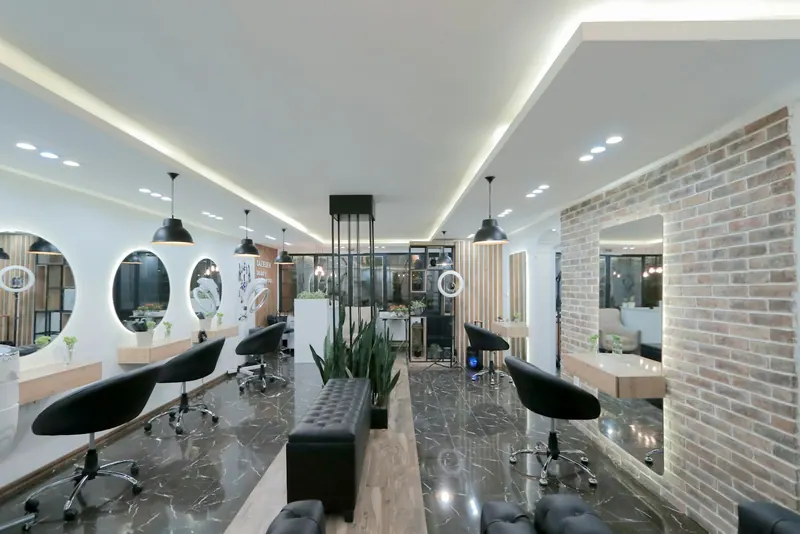
Salon interior with styling stations, round mirrors and a brick wall
Fill the gaps

Online booking that never sleeps

Your branded site and booking links let clients book 24/7. Slots sync instantly so you'll never be double-booked.

✓24/7 self-service booking
✓Deposits & no-show protection
✓Waitlist auto-fills cancellations

Stylist blow-drying a client's hair with a round brush
Stay in touch

Reminders that send themselves

Automatic email confirmations and reminders help cut no-shows — with zero work from your team.

✓Confirmation & reminder messages
✓Email delivery to every client
✓Custom timing & branding

Makeup artist applying lipstick to a client

More to love

Buffer times

Add prep and clean-down time automatically between bookings.

Recurring visits

Set up standing weekly or monthly appointments in one click.

Mobile app

Run your calendar from anywhere, right on your phone.

Automated reminders

Email reminders go out before every appointment to cut no-shows.

Walk-in queue

Add walk-ins to the live calendar in seconds and assign the next free stylist.

24/7 online booking

Bookings from your free website land straight on the calendar.

The EasyGrox difference

The daily reality — with and without EasyGrox

✕ Without EasyGrox
✓ With EasyGrox
01WhatsApp fills up overnight with salon booking requests — no automated system, just manual chaos
✓Online bookings fill your calendar automatically while you sleep
02Two clients arrive at 11am for the same stylist — double-booking chaos
✓Double-bookings are impossible — the system blocks conflicting time slots
03Walk-ins interrupt scheduled clients and you have no system to manage the queue
✓Walk-ins added in 10 seconds and assigned to the next available staff
043 no-shows today because reminders were sent manually (or not at all)
✓Every client gets an automatic email reminder 24h before the appointment
05Your team has no idea who they are seeing next — checking a paper register
✓Every staff member sees their schedule on their phone
06You cannot see which hours are peak and which are dead without a spreadsheet
✓Peak hour heatmap shows you exactly when demand is highest
6 daily problems
6 problems solved

Frequently asked questions

How does online salon booking work?–
Clients visit your free EasyGrox booking website, browse services, pick a stylist and time slot, and confirm in under 60 seconds. The appointment appears in your calendar instantly with an email confirmation sent to the client automatically.
Can EasyGrox prevent double-bookings?+
Yes. Once a slot is booked online, walk-in or manually, it is blocked in real time. EasyGrox makes double-bookings technically impossible across your entire team calendar.
How do automated reminders cut no-shows?+
EasyGrox sends a confirmation email immediately after booking and an automatic email reminder 24 hours before, so clients are far less likely to forget.
Can I set different hours per staff member?+
Yes. Every staff member has their own working hours, assigned services and availability. Clients can only book them during their configured hours for services they are assigned to perform.
Can I accept deposits through online booking?+
Yes. Configure deposit requirements per service in App Settings. Clients must pay the deposit to confirm an online booking and the amount is deducted from their final bill at checkout.
What happens when a client cancels online?+
EasyGrox frees the slot instantly, logs the cancellation, notifies you, and makes the slot immediately available for new bookings.

Works best alongside

EasyGrox features share the same data — connect your calendar to billing, clients to marketing, and analytics to everything.

Also explore: PricingFree Website
The calm alternative to chaos

Your salon, running like it should

Sign up free. Set up your store. Publish your free website. Manage smarter — in under 30 minutes.

No credit card · Free website · Cancel anytime